

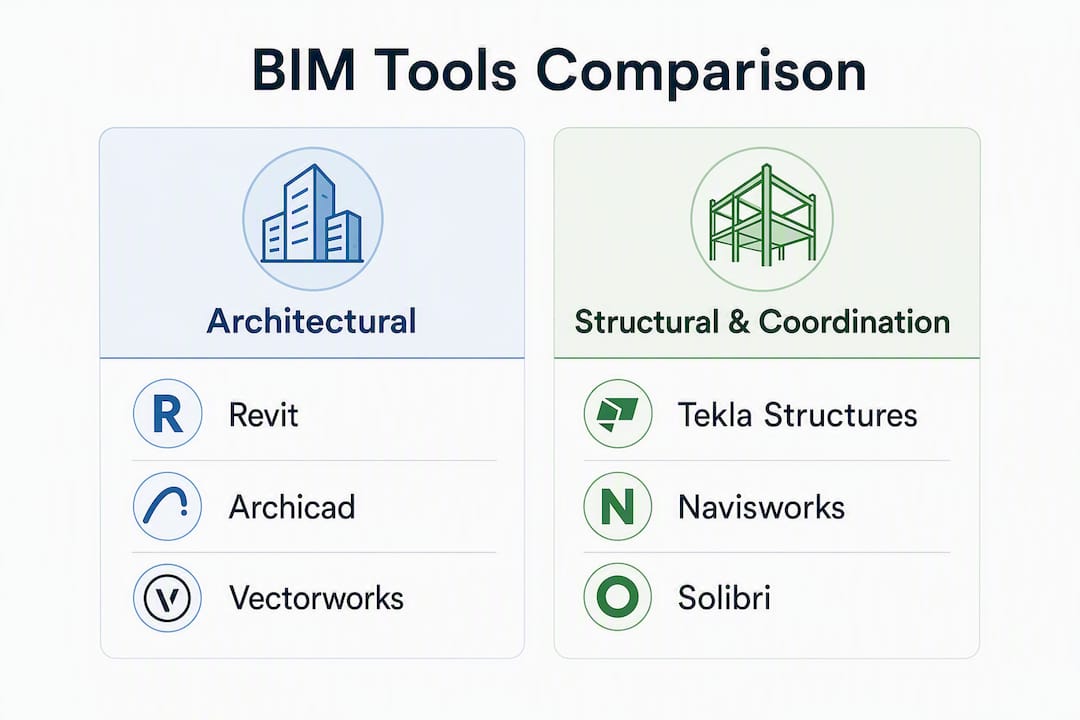
For most Singapore projects, the shortlist of BIM authoring and coordination tools narrows quickly once CORENET X compatibility, local reseller support, and IFC+SG workflow readiness enter the evaluation. The six tools that consistently meet these criteria are Autodesk Revit (multidisciplinary authoring), Graphisoft Archicad (architecture-led teams), Trimble Tekla Structures (structural steel and concrete), Autodesk Navisworks (clash detection and coordination), Solibri (model quality and rule-based checking), and BricsCAD BIM (cost-sensitive offices needing IFC-native workflows). Bentley OpenBuildings Designer and Vectorworks round out the field for specialist infrastructure and landscape-heavy scopes.
The Building and Construction Authority mandates BIM submissions for qualifying project types under CORENET X, including Fixed Installation works such as lifts and mechanized car parking systems. That regulatory baseline makes IFC+SG output quality, not feature count, the primary selection criterion for any of the top BIM tools for Singapore projects.
- Autodesk Revit — Trial first: architects, structural engineers, MEP engineers on mid-to-large projects requiring multidisciplinary coordination and cloud worksharing.
- Graphisoft Archicad — Trial first: architecture-led firms that need CORENET X-ready IFC+SG templates and active local reseller support from day one.
- Trimble Tekla Structures — Trial first: structural engineers detailing steel or precast concrete where fabrication-level accuracy is mandatory.
- Autodesk Navisworks — Trial first: BIM managers and contractors running federated model reviews and clash-detection schedules.
- Solibri — Trial first: QA leads and BIM managers who need rule-based model checking against IFC+SG property sets before submission.
- BricsCAD BIM — Trial first: smaller offices or contractors seeking a lower-cost, IFC-native authoring alternative with a shorter learning curve.
- Bentley OpenBuildings Designer — Trial first: infrastructure-integrated building projects where Bentley’s civil and structural ecosystem is already in use.
- Vectorworks — Trial first: architects and landscape designers on smaller or mixed-use projects where design flexibility outweighs coordination depth.
Table of Contents
- Which BIM tools are best for Singapore projects? A side-by-side comparison
- Per-tool profiles: features, limitations, and Singapore-specific notes
- How do you choose the right BIM tool for a Singapore project?
- How do you confirm a tool will work for CORENET X and IFC+SG submissions?
- How do Singapore firms typically combine BIM tools on projects?
- Key Takeaways
- What practitioners get wrong about BIM tool selection in Singapore
- Aman Engineering Consultancy handles BIM tool selection and CORENET X submission
- Authoritative resources for IFC+SG validation and CORENET X compliance
Which BIM tools are best for Singapore projects? A side-by-side comparison
Autodesk’s BIM framework positions software as one component of a broader process that includes templates, Common Data Environment (CDE) setup, and change-control discipline. That distinction matters most when evaluating tools for CORENET X submissions, where output configuration determines compliance, not the authoring platform itself.
| Tool | Best for | Key strengths | IFC / CORENET X compatibility | Coordination & CDE integration | License model & price orientation | Learning curve & implementation | Local reseller / training (Singapore) |
|---|---|---|---|---|---|---|---|
| Autodesk Revit | Multidisciplinary authoring: architecture, structure, MEP | Parametric families, cloud worksharing via BIM Collaborate Pro, large plugin ecosystem | IFC export configurable; IFC+SG templates require manual setup or third-party add-ons | Native Navisworks link; ACC CDE integration | Subscription (AEC Collection or standalone); mid-to-high cost | Steep; several months to reach office-wide proficiency | Autodesk Singapore office; multiple certified resellers |
| Graphisoft Archicad | Architecture-led firms | OPEN BIM (IFC, BCF, IDS), BIMcloud collaboration, AI Visualizer, automated documentation | Dedicated IFC+SG config files and CORENET X add-ons available for download | BCF-based coordination; BIMcloud Basic included in Studio plan | Subscription or perpetual (region-dependent); mid-range | Moderate; a few months with templates | Graphisoft Singapore partner network; local training available |
| Trimble Tekla Structures | Structural steel, precast, and concrete detailing | Fabrication-level detail, rebar modeling, IFC4 export, multi-user environment | IFC4 export; IFC+SG property sets require configuration | Navisworks and Solibri compatible; CDE via Trimble Connect | Subscription; mid-to-high cost | Steep for new users; several months | Trimble Singapore distributor; specialist training courses |
| Autodesk Navisworks | Clash detection, federated model review | Multi-format model aggregation, TimeLiner, Clash Detective, quantification | Reads IFC; not an authoring tool; no direct CORENET X submission role | Central coordination hub; integrates with ACC | Subscription (Manage edition for clash); lower than authoring tools | Moderate; about one to two months for BIM managers | Autodesk Singapore; reseller-delivered training |
| Bentley OpenBuildings Designer | Infrastructure-integrated buildings | Civil-structural integration, OpenRoads/OpenBridge interoperability, IFC export | IFC export; IFC+SG configuration requires Bentley-specific setup | iTwin platform for CDE and digital twin workflows | Subscription (SELECT); mid-to-high cost | Steep; several months | Bentley Singapore office; regional support |
| Solibri | Model quality checking, rule-based validation | IFC-native, BCF issue management, custom rule sets, compliance checking | IFC-native; purpose-built for pre-submission validation against IFC+SG property sets | BCF integration with authoring tools; CDE-agnostic | Subscription; mid-range | Low-to-moderate; about one to two months for QA leads | Solibri reseller network; online training |
| Vectorworks | Architecture, landscape, and mixed-use design | 2D/3D hybrid, GIS integration, IFC export, lower entry cost | IFC export; IFC+SG configuration requires manual mapping | Limited native coordination; relies on IFC handoff to Navisworks or Solibri | Subscription or perpetual; lower cost | Moderate; a few months | Vectorworks distributor in Singapore; online resources |
| BricsCAD BIM | Cost-sensitive offices, IFC-native authoring | DWG-compatible, IFC-native modeling, AI-assisted 3D, lower license cost | IFC-native; IFC+SG property set mapping requires configuration | IFC-based handoff to coordination tools | Subscription or perpetual; lower cost | Low-to-moderate; a few months | Bricsys distributor network; online training |
Pro Tip: Selecting a tool with a vendor-supplied IFC+SG configuration file, such as the Archicad IFC+SG toolkit, reduces submission preparation time significantly. However, those files still require validation against your office’s specific element classifications and property sets before any live submission.
Three selection rules that follow from the comparison:
- Firms already in the Autodesk ecosystem should default to Revit for authoring and add Navisworks for coordination, accepting the higher license cost in exchange for the widest plugin and reseller support in Singapore.
- Architecture-led practices that prioritize CORENET X readiness from day one should evaluate Archicad first, given the availability of downloadable IFC+SG config files and a local partner network.
- Offices with tight budgets or DWG-heavy workflows should assess BricsCAD BIM before committing to a higher-cost platform, particularly for projects where IFC handoff to a coordination tool is the primary deliverable.
Per-tool profiles: features, limitations, and Singapore-specific notes
Autodesk Revit
Revit supports architecture, structure, and MEP workflows within a single parametric model environment. Cloud worksharing through BIM Collaborate Pro allows distributed teams to work on a shared model in real time, which is particularly relevant for large Singapore projects with multiple consultants.
Key strengths: Parametric family library, multidisciplinary model coordination, cloud worksharing, extensive plugin ecosystem, strong documentation automation.

Limitations: High subscription cost; IFC+SG templates require manual configuration or third-party add-ons; steep onboarding for new users; performance degrades on very large federated models.
Singapore notes: Autodesk maintains a Singapore office with certified resellers. IFC+SG property set templates are not bundled natively; offices should request sample export configurations from their reseller or consult a BIM specialist before the first CORENET X submission.
Graphisoft Archicad
Archicad’s OPEN BIM approach, built on IFC, BCF, and IDS standards, positions it as one of the most CORENET X-ready authoring tools available in Singapore. Archicad Studio includes BIMcloud Basic for team collaboration and BIMx Pro for 3D walkthroughs, making it a practical choice for architecture-led firms that need both authoring and client presentation in one subscription.

Key strengths: Downloadable IFC+SG config files and CORENET X add-ons, OPEN BIM interoperability (IFC, BCF, IDS), BIMcloud collaboration, AI Visualizer, automated documentation, localized Singapore templates.
Limitations: Smaller structural and MEP plugin ecosystem compared to Revit; less common in contractor-led project environments; BIMcloud Basic has capacity limits for very large teams.
Singapore notes: Graphisoft’s Singapore partner network provides local training and reseller support. Download IFC+SG config files and CORENET X add-ons directly from Graphisoft Singapore and verify the edition number matches your Archicad version before use.
Trimble Tekla Structures
Tekla Structures is the reference tool for structural steel and precast concrete detailing in Singapore. Its multi-user environment supports concurrent modeling by multiple structural engineers, and its IFC4 export covers the fabrication-level detail that structural submissions often require.
Key strengths: Fabrication-level accuracy, rebar and precast modeling, IFC4 export, multi-user environment, Trimble Connect CDE integration.
Limitations: Not an architectural authoring tool; IFC+SG property set configuration requires specialist knowledge; high learning curve for users transitioning from 2D CAD.
Singapore notes: Trimble’s Singapore distributor offers specialist training. Confirm that your IFC4 export configuration includes the property sets required by IFC+SG before submitting structural models through CORENET X.
Autodesk Navisworks
Navisworks operates as a coordination and review platform rather than an authoring tool. It aggregates models from Revit, Tekla, Archicad, and other sources into a federated model, then runs clash detection through Clash Detective and construction sequencing through TimeLiner.
Key strengths: Multi-format model aggregation, Clash Detective, TimeLiner 4D simulation, quantification, integration with Autodesk Construction Cloud (ACC).
Limitations: Read-only for most formats; not used for CORENET X submission directly; requires authoring tools to produce the underlying IFC or native files.
Singapore notes: Navisworks Manage is the edition required for clash detection. Autodesk Singapore resellers provide training packages. Most Singapore project teams use Navisworks as the coordination hub between Revit and Tekla models.
Bentley OpenBuildings Designer
OpenBuildings Designer suits projects where the building is part of a larger infrastructure scope, such as transit-integrated developments or industrial facilities, where Bentley’s civil and structural tools are already deployed.
Key strengths: Civil-structural integration, OpenRoads and OpenBridge interoperability, IFC export, iTwin platform for digital twin and CDE workflows.
Limitations: Steep learning curve; smaller local reseller network compared to Autodesk; IFC+SG configuration requires Bentley-specific expertise; less common in pure architectural practices.
Singapore notes: Bentley maintains a Singapore office. Confirm iTwin CDE compatibility with your project’s CDE requirements before procurement.
Solibri
Solibri is an IFC-native model-checking platform, not an authoring tool. Its primary role in a Singapore project stack is pre-submission validation: checking IFC files against custom rule sets that mirror IFC+SG property set requirements before those files enter CORENET X.
Key strengths: IFC-native, custom rule sets for compliance checking, BCF issue management, CDE-agnostic integration, accessible to non-authoring staff.
Limitations: Not an authoring tool; rule set development requires initial investment; subscription cost adds to the overall toolchain budget.
Singapore notes: Solibri’s BCF integration allows QA leads to push issues directly back to Revit or Archicad authors. Building a rule set that mirrors IFC+SG property set requirements is the most valuable configuration step before any CORENET X submission.
Vectorworks
Vectorworks offers a 2D/3D hybrid environment with GIS integration and IFC export, making it a practical choice for architects and landscape designers on smaller or mixed-use Singapore projects where design flexibility is prioritized over deep coordination workflows.
Key strengths: 2D/3D hybrid modeling, GIS integration, IFC export, lower entry cost, strong rendering tools.
Limitations: Limited native coordination capability; IFC+SG property set mapping requires manual configuration; less common in Singapore’s contractor and structural engineering community.
Singapore notes: A local Vectorworks distributor operates in Singapore. For CORENET X submissions, IFC files produced in Vectorworks should be validated in Solibri before submission.
BricsCAD BIM
BricsCAD BIM is an IFC-native authoring tool with DWG compatibility, making it accessible to offices transitioning from AutoCAD-based workflows. Its lower license cost relative to Revit makes it a credible option for smaller firms or contractors whose primary BIM deliverable is an IFC file for coordination or submission.
Key strengths: IFC-native modeling, DWG compatibility, AI-assisted 3D modeling, lower license cost, subscription or perpetual licensing.
Limitations: Smaller ecosystem than Revit or Archicad; IFC+SG property set configuration requires manual setup; less established in Singapore’s larger project market.
Singapore notes: Bricsys distributor network covers Singapore. Confirm IFC+SG property set mapping with a local reseller or BIM consultant before the first submission.
How do you choose the right BIM tool for a Singapore project?
The selection process should follow a structured sequence that prioritizes regulatory output requirements over feature lists. The following steps apply regardless of project type or firm size.
- Define the primary discipline workflow. Identify whether the primary need is architectural authoring, structural detailing, MEP coordination, or model review. No single tool covers all disciplines equally well.
- Confirm IFC+SG export capability. Request a sample IFC export from the vendor or reseller and validate it against the current IFC+SG configuration files published by BCA. A tool that cannot produce a conformant IFC+SG file is not viable for CORENET X submissions.
- Check CDE connector availability. Confirm that the tool integrates with your project’s CDE, whether that is Autodesk Construction Cloud, Trimble Connect, or a platform-neutral CDE. Missing CDE connectors create manual handoff steps that introduce version-control risk.
- Assess local reseller and training support. Shortlist only tools with an active Singapore reseller or training partner. Remote-only support creates delays during critical submission periods.
- Evaluate the full toolchain cost. License cost is one line item. Budget separately for IFC+SG template development, CDE integration setup, training, and ongoing reseller support. For a digital engineering BIM implementation, template and training costs often equal or exceed the first year’s license cost.
- Run a pilot on a real project scope. A proof-of-concept pilot using a representative project scope and a sample CORENET X submission is the only reliable way to confirm that a tool’s IFC+SG output meets submission requirements.
Vendor and reseller questions to ask during demos:
- Can you provide a sample IFC+SG export from this tool for a building project of comparable scope?
- Which version of the IFC+SG configuration file does your template support, and how frequently is it updated?
- What is your local SLA for support during a CORENET X submission cycle?
- Do you offer Singapore-specific training that covers CORENET X submission workflows?
- Can you provide references from Singapore firms that have completed CORENET X submissions using this tool?
A typical implementation timeline runs from a short pilot phase (single discipline, sample IFC+SG export and validation) through a phased rollout over several months to full office-wide adoption. Firms that skip the pilot phase and deploy directly to a live project consistently encounter IFC+SG configuration issues during the first submission cycle.
How do you confirm a tool will work for CORENET X and IFC+SG submissions?
Regulatory output validation is a distinct step from software evaluation. The following sequence applies before any tool is relied upon for a statutory submission.
- Download the current IFC+SG configuration files from the BCA or the vendor’s Singapore resource page. Confirm the edition number and the Archicad or Revit version it targets. Outdated config files produce non-conformant property sets.
- Configure the tool’s IFC export settings using the downloaded config file. Do not use default IFC export presets; default settings rarely produce the property sets and element classifications required by IFC+SG.
- Export a test IFC file from a representative model scope, including at least one of each major element type (walls, slabs, columns, beams, doors, windows, spaces).
- Open the exported IFC in Solibri or a comparable IFC viewer and check that all required property sets are present, that element classifications match the IFC+SG schema, and that spatial containment (building, storey, space hierarchy) is correct.
- Run a CORENET X pre-submission check using the validation tools or guidance published by BCA. Confirm that the IFC structure, property sets, and element naming conventions meet submission requirements.
- Document the validated export configuration as an office standard. Store the config file, export settings, and validation results in the project CDE so that all team members use the same configuration.
Pro Tip: The most common IFC+SG submission failures involve missing property sets on MEP elements, incorrect spatial containment for linked models, and element naming conventions that do not match the IFC+SG schema. Run a BIM compliance check on a sample export before committing to a tool for a live submission.
Common validation checks to run locally:
- Verify that all IfcSpace elements carry the required occupancy and area property sets.
- Confirm that structural elements use the correct IfcMember or IfcBeam classifications, not generic IfcBuildingElement.
- Check that linked model references resolve correctly in the federated IFC and that no elements are duplicated across discipline models.
- Validate that the IFC file passes the IFC schema checker without errors before uploading to CORENET X.
How do Singapore firms typically combine BIM tools on projects?
Most Singapore project teams operate a layered toolchain rather than relying on a single platform. The standard stack separates authoring, structural detailing, coordination, and model quality checking into distinct tools, each owned by a specific discipline lead.
Common stacks and pairings:
- Revit (architecture + MEP) + Tekla Structures (structural) + Navisworks (coordination) + Solibri (QA) + ACC (CDE): The most common stack on large commercial and institutional projects. The BIM manager owns the federated Navisworks model and runs a weekly clash-detection schedule. The QA lead runs Solibri checks against IFC+SG property sets before each CORENET X submission milestone.
- Archicad (architecture) + Tekla Structures (structural) + Solibri (QA) + BIMcloud (CDE): Common in architecture-led practices that prioritize CORENET X readiness. BCF issue management links Solibri findings directly back to Archicad authors.
- BricsCAD BIM (architecture) + Navisworks (coordination) + Solibri (QA): Used by smaller offices or contractors where license cost is a primary constraint. IFC handoff from BricsCAD to Navisworks and Solibri covers coordination and validation without a full Autodesk subscription.
The federated model is typically owned by the BIM manager or lead consultant. Clash-detection schedules run weekly during design development and increase to twice weekly during the coordination phase before a CORENET X submission. IFC+SG templates are prepared by the discipline lead for each authoring tool and validated centrally by the BIM manager or a specialist consultant.
A representative Singapore project stack for a mid-size commercial development: the architect authors in Archicad using the Graphisoft IFC+SG config files, the structural engineer details in Tekla Structures with IFC4 export configured to IFC+SG property sets, and the BIM manager federates both models in Navisworks for weekly clash detection. Before each CORENET X submission milestone, the QA lead runs a Solibri check against a custom IFC+SG rule set, resolves BCF issues with the authoring teams, and exports the validated IFC files for submission. The entire workflow is managed through a shared CDE, with the validated export configuration stored as an office standard.
Key Takeaways
The most effective BIM tool selection for Singapore projects prioritizes IFC+SG output conformance, local reseller support, and a validated export workflow over feature count or brand familiarity.
| Point | Details |
|---|---|
| CORENET X output is the primary criterion | A tool that cannot produce conformant IFC+SG files is not viable for statutory submissions, regardless of its other capabilities. |
| Archicad leads on CORENET X readiness | Graphisoft provides downloadable IFC+SG config files and CORENET X add-ons for Archicad, reducing submission preparation time. |
| Revit suits multidisciplinary teams | Revit’s cloud worksharing and plugin ecosystem make it the default for large, multi-consultant Singapore projects, but IFC+SG templates require manual configuration. |
| Validate before you commit | Run a pilot IFC+SG export and Solibri validation check on a sample scope before deploying any tool on a live CORENET X submission. |
| Com supports managed BIM adoption | Aman Engineering Consultancy provides BIM tool selection, IFC+SG configuration, and CORENET X submission support for Singapore projects. |
What practitioners get wrong about BIM tool selection in Singapore
The most persistent mistake in Singapore BIM adoption is treating software selection as the end of the compliance process rather than the beginning. Firms spend weeks evaluating feature sets and license costs, then discover during the first CORENET X submission that their IFC export configuration produces non-conformant property sets. The software was never the problem. The configuration was.
A staged rollout addresses this directly. The first stage is a a short pilot phase focused exclusively on producing and validating a conformant IFC+SG export from a representative model scope. Only after that validation passes should the firm proceed to office-wide deployment. Training should follow the same sequence: IFC+SG export configuration and validation before general modeling workflows, not after.
The second common error is underinvesting in templates. A validated IFC+SG export template, stored in the CDE and version-controlled alongside the project model, is the single most durable asset a Singapore BIM team can produce. It transfers across projects, reduces per-submission preparation time, and provides a defensible audit trail if a submission is queried by BCA. Firms that treat templates as a one-time setup task rather than a maintained office standard consistently encounter configuration drift as tools are updated and IFC+SG schema versions change.
Effective BIM practices in Singapore depend on treating the IFC+SG configuration as a living document, not a one-time deliverable.
Aman Engineering Consultancy handles BIM tool selection and CORENET X submission
For project teams that need a managed path through BIM tool evaluation, IFC+SG configuration, and CORENET X submission, Aman Engineering Consultancy provides end-to-end support. The service covers tool selection aligned to your discipline mix and project scope, IFC+SG template development and validation, CORENET X submission preparation, and training for your in-house team.

The practical outcome is fewer revision cycles on CORENET X submissions and a validated export workflow that your team can reuse across projects. Aman’s consultants work directly with Singapore’s regulatory framework, including BCA, URA, and SCDF requirements, so the configuration reflects current submission standards rather than generic IFC best practice.
To discuss your project’s BIM requirements and get a structured evaluation of the tools best suited to your team, contact Aman Engineering Consultancy for an initial consultation.
Authoritative resources for IFC+SG validation and CORENET X compliance
The following sources provide the primary downloads, guidance documents, and vendor resources required to validate BIM tool compatibility with Singapore’s submission requirements.
| Resource | What to check |
|---|---|
| BCA BIM and CORENET guidance | Mandatory BIM submission scopes, CORENET X requirements, and Fixed Installation guidance. Confirm which project types trigger mandatory BIM submission. |
| Graphisoft Singapore: CORENET X and IFC+SG | Download IFC+SG config files for Archicad, CORENET X add-ons, and submission templates. Verify the edition number matches your installed Archicad version. |
| Graphisoft Archicad Studio plans (Singapore) | Confirm subscription inclusions (BIMcloud Basic, BIMx Pro), local pricing, and training options available through the Singapore partner network. |
| Autodesk Revit product page (Singapore) | Confirm current subscription options, cloud worksharing capabilities, and available AEC Collection bundles for Singapore procurement. |
| Autodesk BIM overview | Reference for understanding BIM as a process framework, including CDE setup and template discipline, relevant to CORENET X workflow planning. |
Additional verification steps:
- Check the date and edition number on every IFC+SG config file before using it for a submission. Graphisoft and other vendors release updated files when the IFC+SG schema is revised; using an outdated file produces non-conformant property sets.
- Confirm with your local reseller that the CORENET X add-on or export plugin is compatible with your current software version, not just the version listed on the download page.
- For tools without vendor-supplied IFC+SG templates (Revit, Tekla, BricsCAD BIM, Vectorworks), request a sample IFC+SG export configuration from a Singapore reseller or engage a specialist BIM consultant to develop and validate the template before the first submission.